SellerGuards pulls all your FBA and FBM refunds from Amazon and turns each return into a clear profit statement — refund amount, COGS credited back, returned vs. sellable units, every fee, and the exact hit to your bottom line.
FBA and FBM refunds sync automatically from Amazon. Each row shows the refund amount, the COGS credited back, how many units came back versus how many are still sellable, and the net profit impact — so you can see at a glance which returns actually hurt.
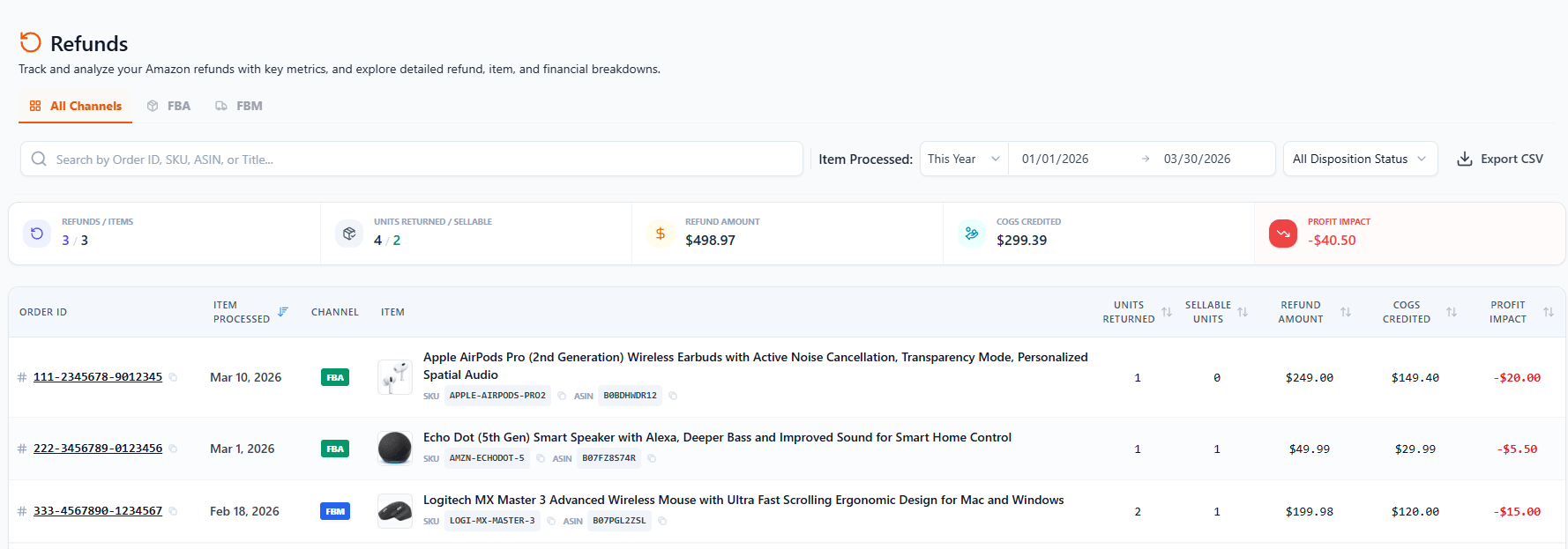
Profit impact on every line. Units returned, sellable units, refund amount, COGS credited, and the net profit impact — calculated per refund, right in the list.
FBA & FBM in one place. Filter by channel and disposition status, search by Order ID / SKU / ASIN / title, and export the whole view to CSV.
Returned vs. sellable. See how many units came back and how many are sellable again versus written off — so you know what you actually recovered into inventory.
Totals at the top. Summary cards roll up refunds, items, units returned/sellable, refund amount, COGS credited and total profit impact for whatever range you're viewing.
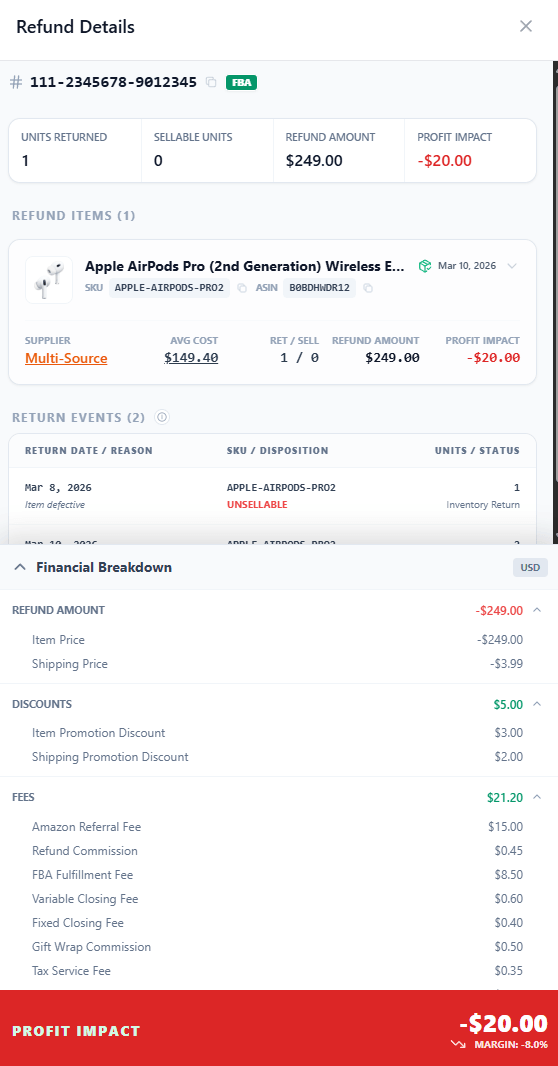
Click an Order ID and the refund slides open. See each returned item with its supplier, average cost, units and profit impact, the individual return events with their reason and disposition, and a line-by-line financial breakdown of the refund amount, the fees credited back, and the final hit to your profit.
Items & return events. Every returned item with its supplier and cost, plus each return event's date, reason and disposition — sellable or unsellable.
Every fee, reconciled. The referral fee Amazon credits back, the refund commission it keeps, plus FBA, closing and tax fees — all itemized.
Net profit impact & margin. The breakdown ends with the exact profit impact and margin for that refund.

Connect your Amazon account and SellerGuards turns your refund history into a per-refund profit ledger — automatically.