Product Research

Find profitable products to sell on Amazon

Search any product by keyword or ASIN/UPC/ISBN — or scan a barcode with your phone. SellerGuards shows the Buy Box, competitive offers and BSR, then calculates net profit, ROI and margin before you spend a dollar.

toysSearchPRODUCTBUY BOXBSRROIPOP MART MonstersASIN B0BT44T5M2$27.99FBA#70Toys & Games+58%Schylling NeeDoh CubeASIN B00DH01ZVZ$39.00FBA#3Toys & Games+71%Melissa & Doug Dentist KitASIN B88LCLH6O5$15.39AMZ#265Toys & Games+44%Scientoy Fidget Toy SetASIN B077T6664Z$16.93FBA#574Toys & Games+39%
Start with a search

Search any product — by keyword or barcode

Type a keyword to explore a niche, or paste an ASIN, UPC or ISBN to jump straight to a product. SellerGuards looks it up on Amazon and pulls back everything you need to judge whether it's worth selling.
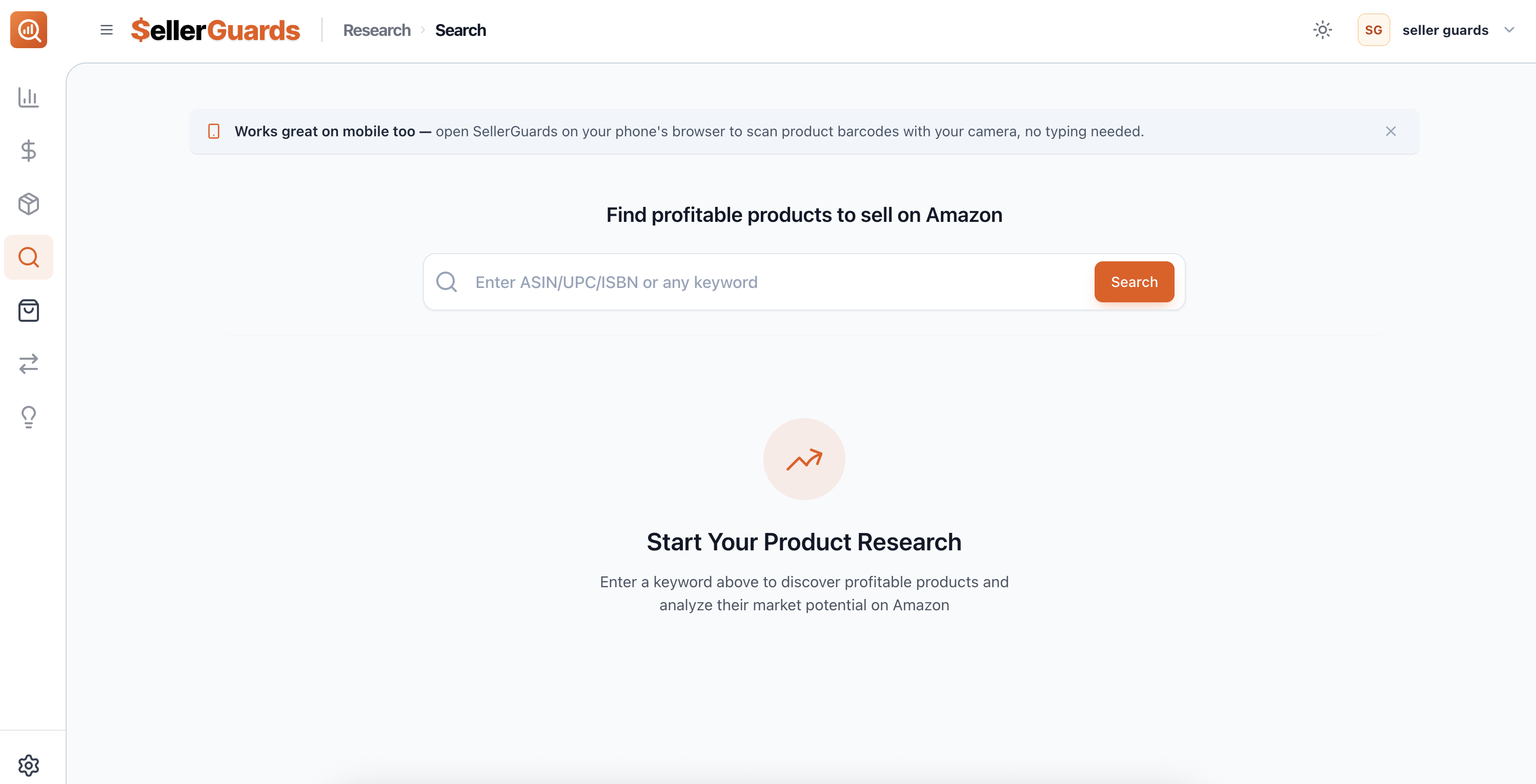
SellerGuards product research search page with a single search bar for ASIN, UPC, ISBN or keyword

Keyword or identifier. Search by keyword to browse a category, or by an exact ASIN / UPC / ISBN to land on a specific product.

Built for sourcing. Purpose-built to answer one question fast — is this product actually worth selling?

Works on mobile. Open SellerGuards in your phone's browser and scan a product barcode with the camera — no typing, no app to install.

Clean, fast results. Every search returns Buy Box price, best-seller rank and live offer counts in one scannable list.
Source on the go

Scan a barcode right in the aisle

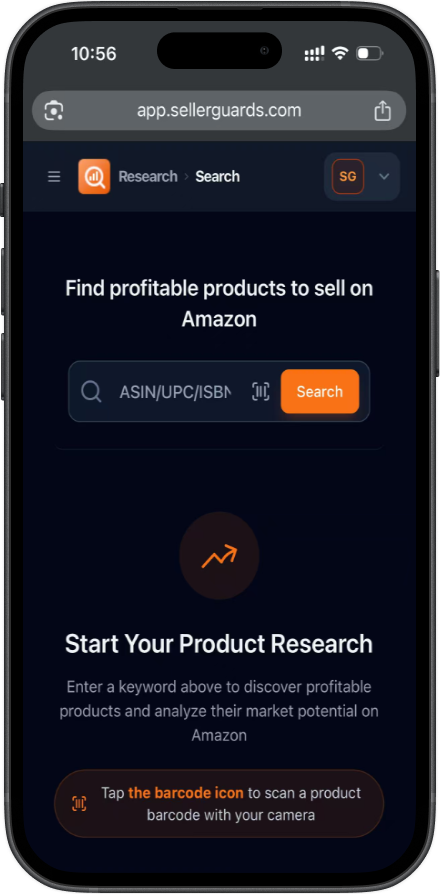
Out sourcing at a store, sale or clearance rack? Open SellerGuards on your phone, tap the barcode icon, and point your camera at the product. It pulls up the Amazon listing, the Buy Box and your profit math on the spot.

Camera barcode scan. Tap the scan icon and read any UPC with your phone camera — nothing to download.

Decide in store. See the Buy Box, offers and estimated profit before you ever put it in your cart.

Same data, smaller screen. The full research view, optimized for mobile so nothing gets left behind.

SellerGuards product research on a phone with a barcode scan icon in the search bar
The results

Scan a whole niche at a glance

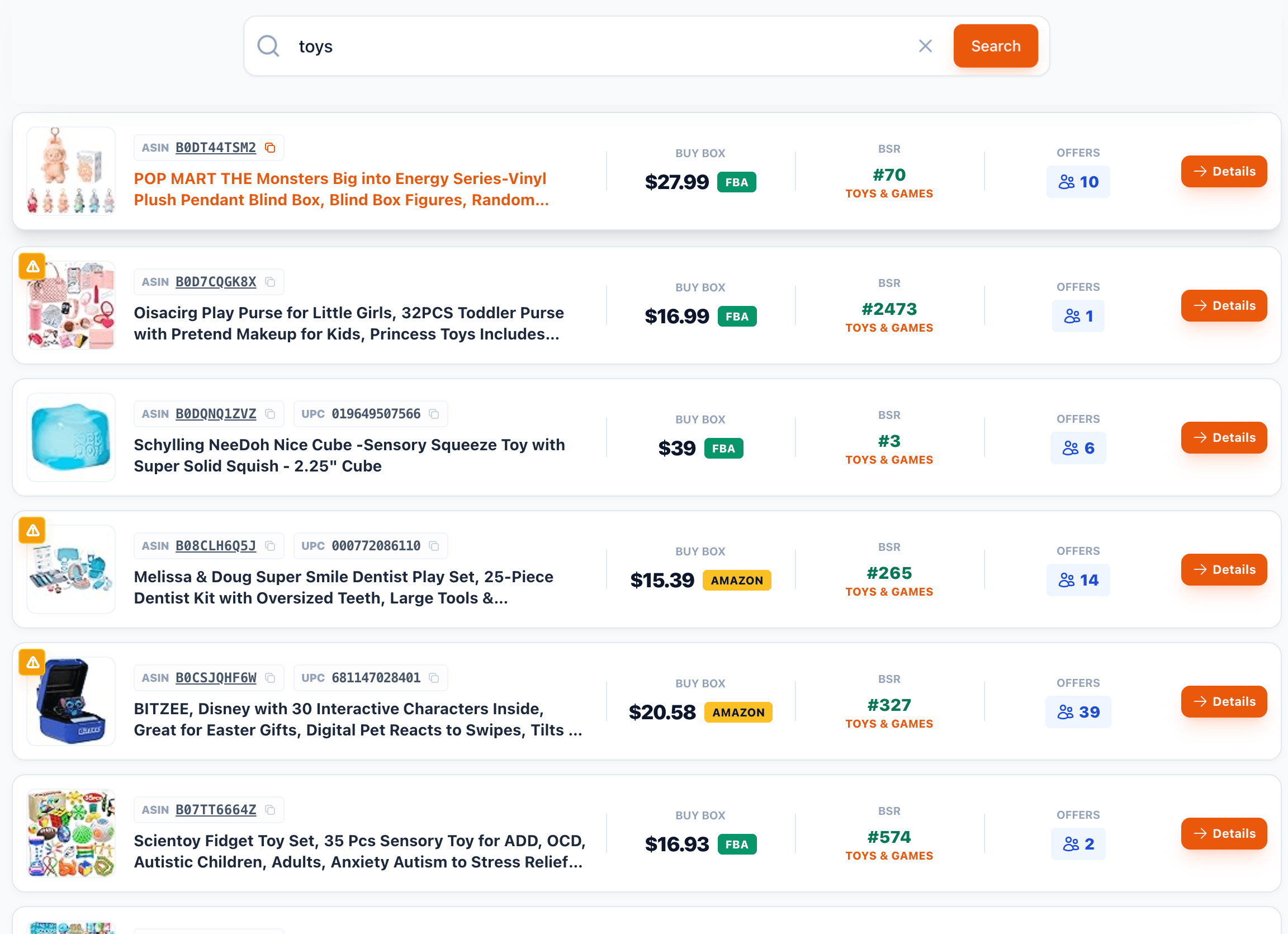
Each result already shows what matters for a quick go/no-go — the Buy Box price and who's fulfilling it, the best-seller rank and category, and how many sellers are competing on the listing.

SellerGuards search results list showing product image, title, ASIN, Buy Box price, BSR, category and offer count per product

Buy Box price & fulfillment. The current Buy Box, tagged FBA or Amazon, so you know who you're up against.

Best-seller rank. BSR and category for every result — a fast read on how much demand there is.

Offer count. How many sellers are already on the listing, before you spend time digging in.

One click to detail. Hit Details on any product to open the full analysis page.

Item details

Everything about a product, on one page

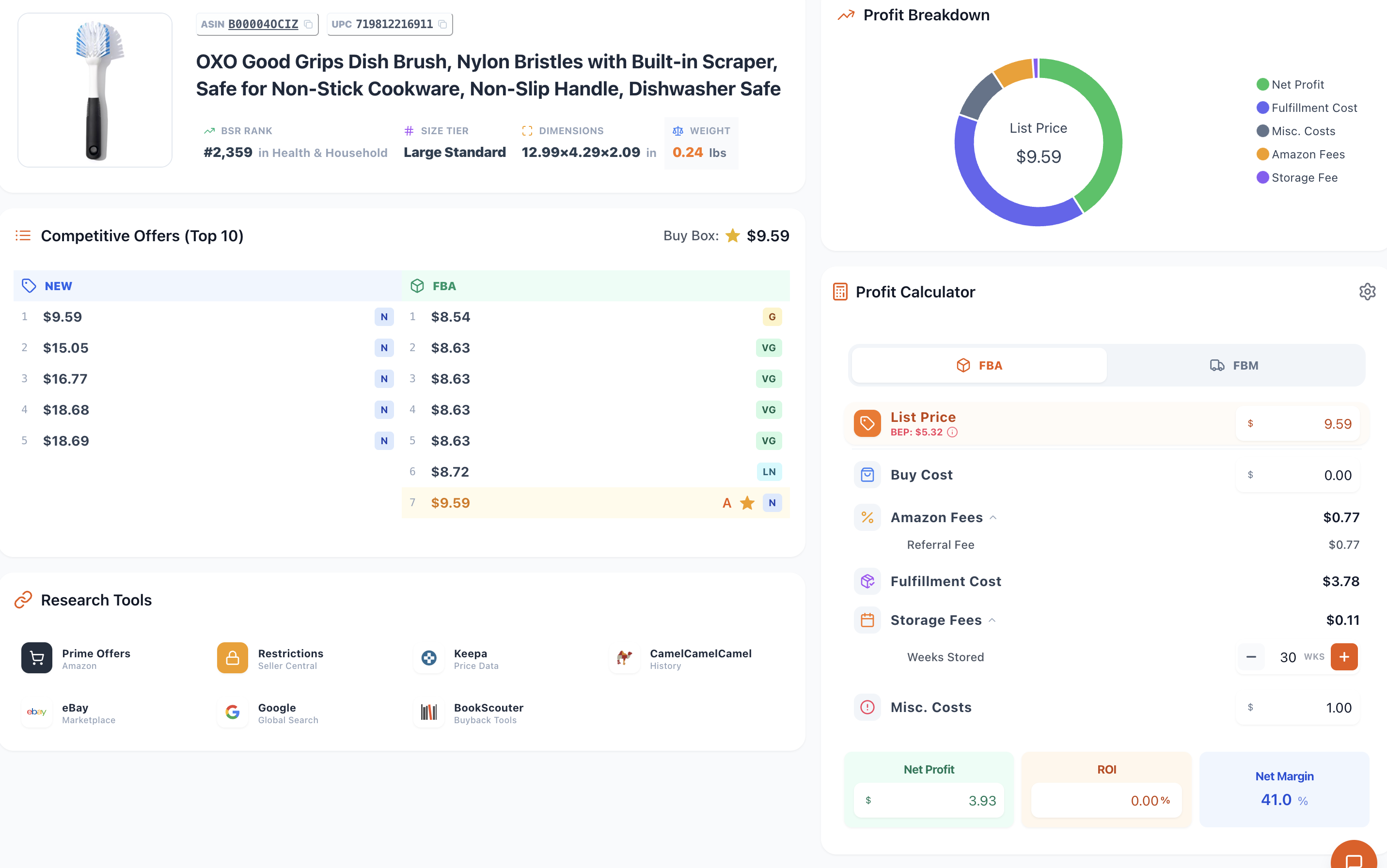
Open any product and the full picture loads at once — specs, a visual profit breakdown, the competitive offer landscape, a built-in profit calculator, and one-tap research tools. No bouncing between tabs.

SellerGuards product detail page with product specs, a profit breakdown donut, competitive offers, profit calculator and research tools

Product specs. BSR, size tier, dimensions and weight, right at the top.

Profit breakdown. A donut that splits the list price into net profit, fees, fulfillment, storage and costs.

Competitive offers. The top offers across New, Used and FBA, with the Buy Box flagged.

Built-in profit calculator. Net profit, ROI and margin, recalculated as you change costs.

Research tools. Jump to Keepa, CamelCamelCamel, Prime Offers, restrictions, eBay, Google and BookScouter.

Add to purchase list. Send a winner straight to a sourcing list in a single click.

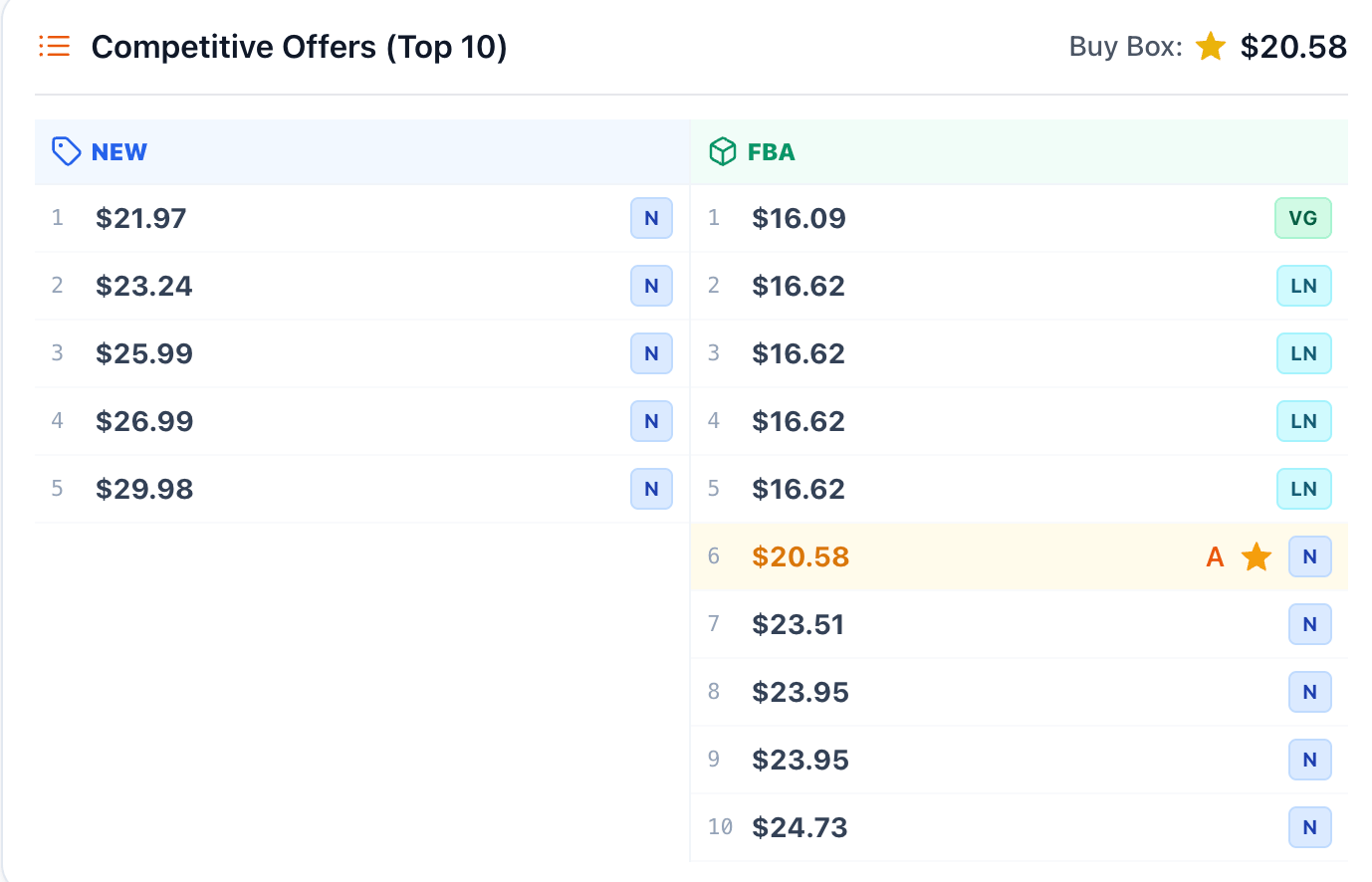
SellerGuards competitive offers panel showing the top 10 New, Used and FBA offers with the Buy Box highlighted and condition grades
Competitive offers

See exactly who you're up against

The Top 10 offers, split by condition, with the Buy Box winner highlighted. Know the going price, how crowded the listing is, and where you'd realistically land — before you commit a single dollar.

New, Used & FBA side by side. Compare the live offers in each condition at a glance.

Buy Box, flagged. The current Buy Box price and owner sit right at the top.

Condition & seller signals. Per-offer condition grades and seller type help you read the competition.

Profit calculator

Know your profit before you buy

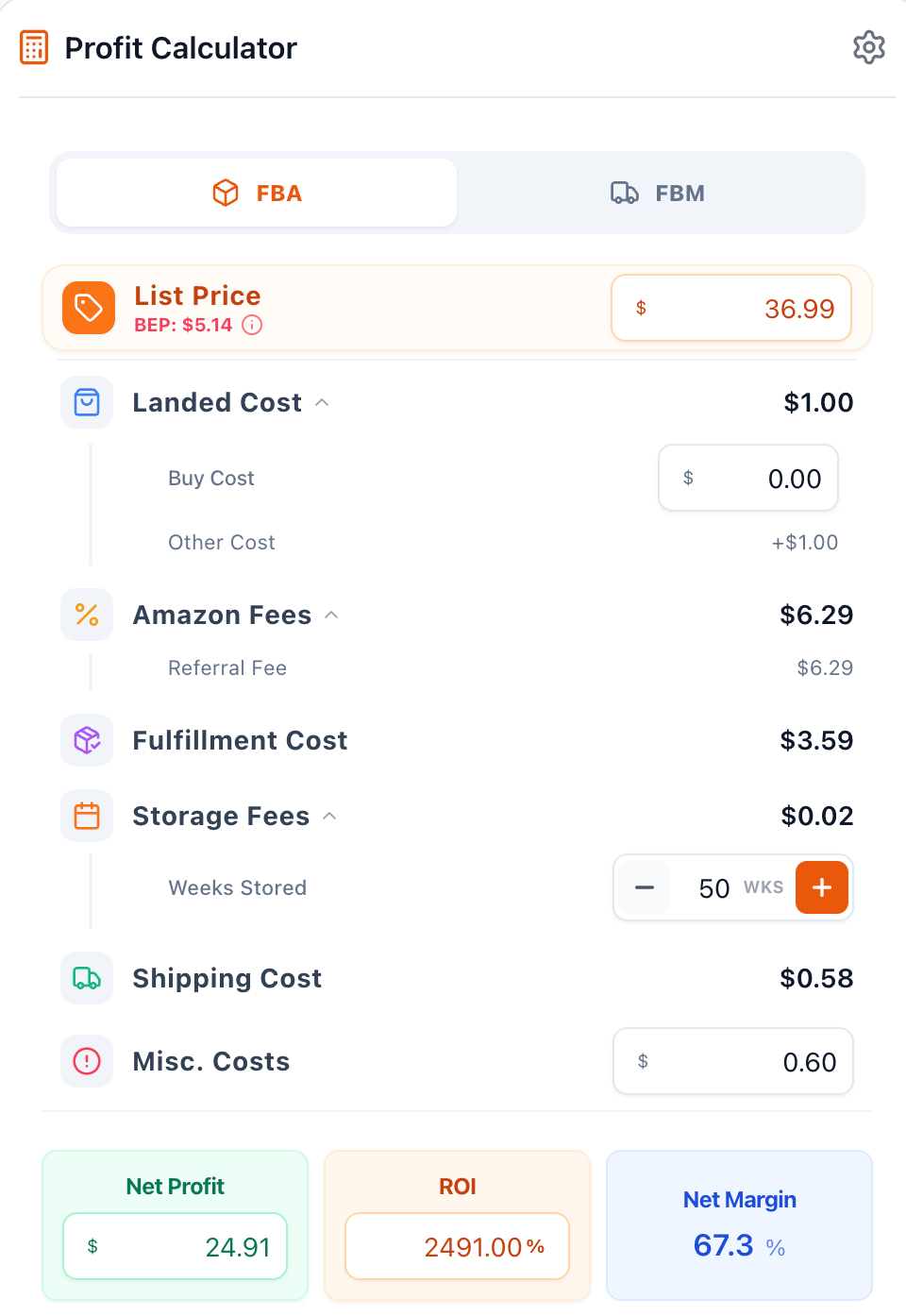
Every cost in one place — landed cost, the Amazon referral fee, fulfillment, storage by weeks stored, shipping and misc. Switch between FBA and FBM and watch net profit, ROI and margin update instantly, with your break-even price always in view.

FBA or FBM. Toggle fulfillment and the fees recalculate automatically.

Every cost, editable. Buy cost, other costs, storage weeks and misc. costs are all yours to set.

Net profit, ROI & margin. The three numbers that decide a buy, plus a break-even price (BEP).

SellerGuards profit calculator with FBA/FBM toggle, list price, landed cost, Amazon fees, fulfillment, storage, and net profit, ROI and net margin
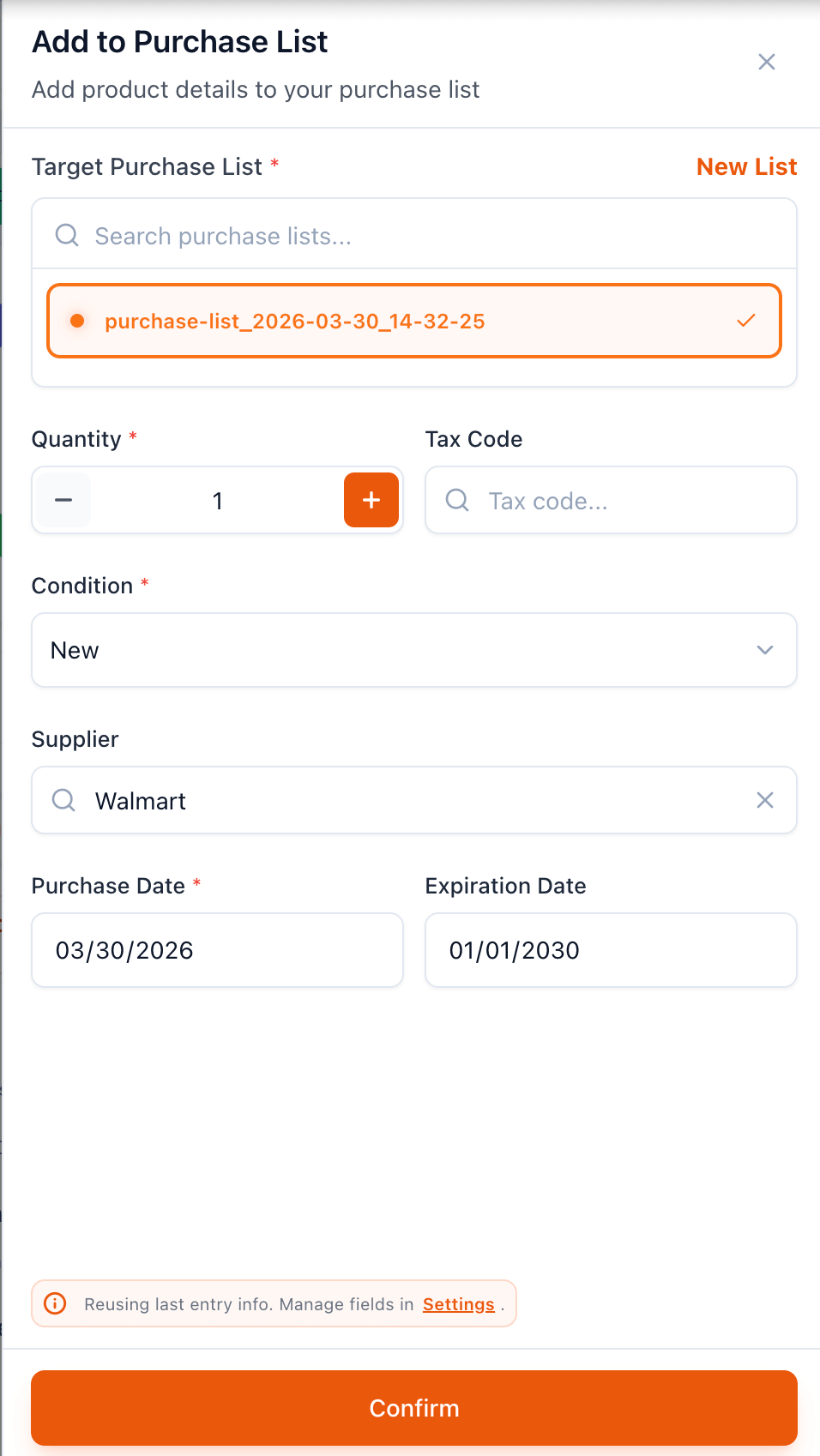
SellerGuards Add to Purchase List modal with quantity, tax code, condition, supplier, purchase date and expiration date
Purchase list

Turn a winner into a sourcing plan

Found a product worth buying? Add it to a purchase list with quantity, supplier, cost, condition and dates. Those details flow straight into your inventory and FIFO costing the moment the stock arrives.

Capture the buy. Quantity, supplier, purchase and expiration dates, condition and tax code in one step.

Reuse your last entry. SellerGuards remembers your last supplier and settings to speed up repeat buys.

Feeds inventory & FIFO. What you record here becomes the cost basis for true FIFO margins later.

Find your next profitable product

Start searching free — no credit card. Type a keyword or scan a barcode and see the profit before you buy.

Start Free View Live Demo