Welcome to SellerGuards
SellerGuards is an all-in-one platform for Amazon sellers — covering product research, inventory tracking, profit & loss, financial insights, and transaction management. This guide walks you through setting up your account and connecting your Amazon store so you can start making better-informed decisions from day one.
Create Your Account
Getting started takes less than two minutes. No credit card required during the beta. You can sign up with your email or continue with Google.
- Email & password — enter your email and choose a password (minimum 8 characters). You'll receive a verification email — click the link to confirm your account.
- Continue with Google — sign in with your Google account in one click. No password or email verification needed.
Connect Your Amazon Store
SellerGuards connects to your Amazon Seller Central account using Amazon's Selling Partner API (SP-API). This is a secure, official integration — we never see or store your Amazon password, and the access we request is read-only.
In short: open Connect Amazon, click Authorize Now, pick your marketplace and name the store, then sign in to Seller Central and approve the permissions. You are returned to SellerGuards and the first sync begins automatically.
Navigate the Platform
Once your store is connected, you have access to all seven feature areas. Here's a quick overview of what each one does — click any card to open its full documentation.
Using SellerGuards on Mobile
SellerGuards is a web app — no separate download required. It works in any mobile browser, and you can add it to your home screen for a native app-like experience with one-tap access.
Open SellerGuards in your mobile browser. Tap the share icon — in Safari it's the arrow-up-on-square button in the middle of the bottom bar; in Chrome it's in the top address bar on the right.
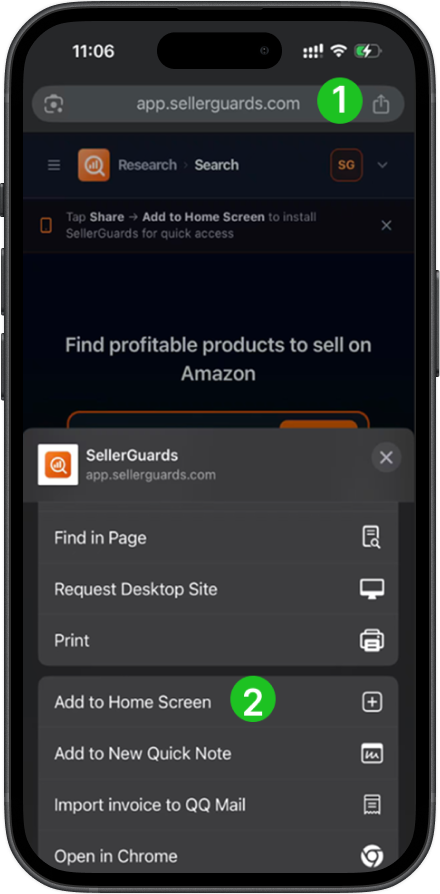
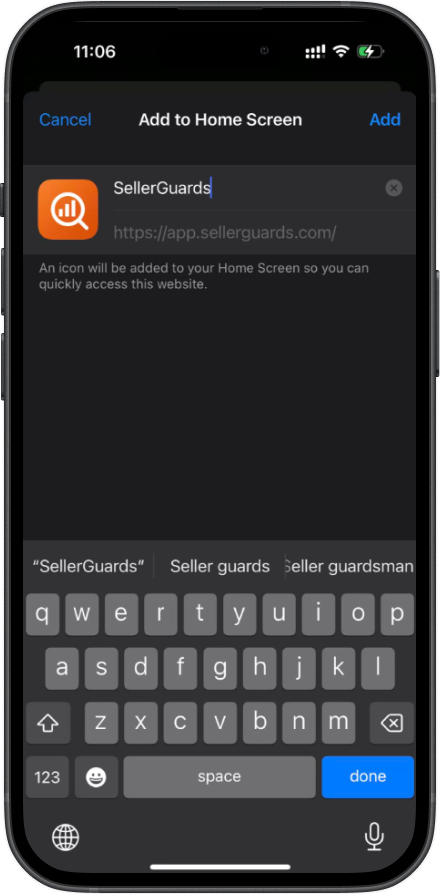
From the action sheet that appears, tap Add to Home Screen. The name is pre-filled as SellerGuards — tap Add to confirm.
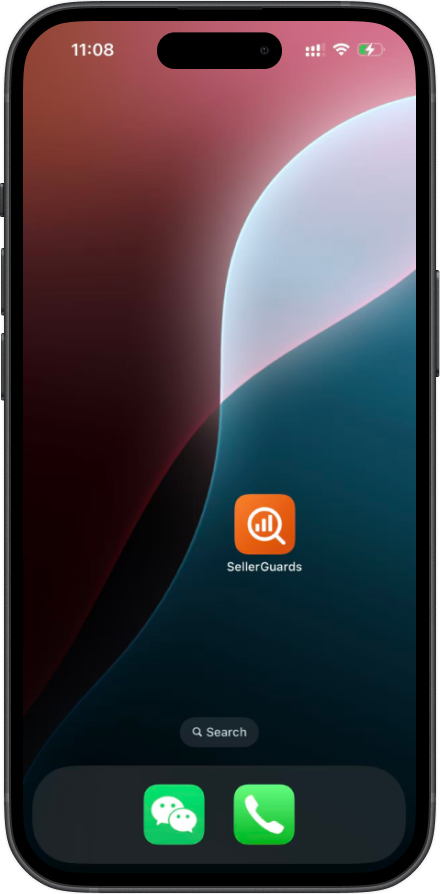
The SellerGuards icon is now on your home screen, just like any native app — ready for one-tap access.
Tap the icon and SellerGuards opens full-screen — no browser chrome, no address bar. The full experience, right from your home screen.
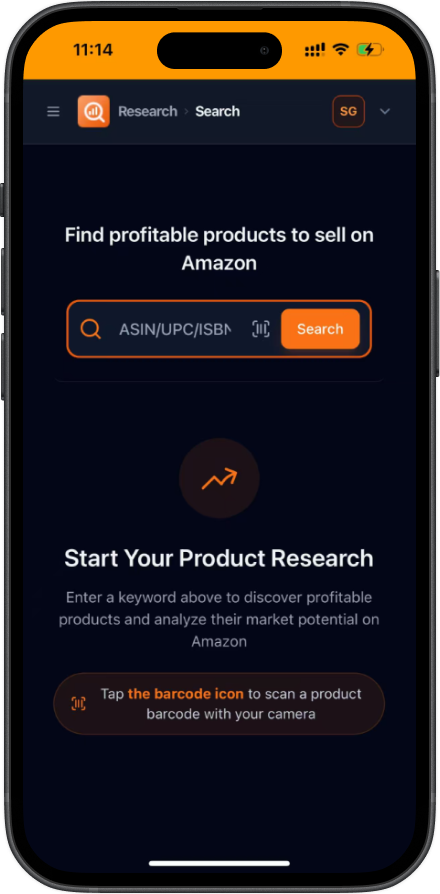
Your account is set up — now start sourcing
Search any keyword or scan a barcode to see live Amazon data, profit estimates, and competitive offers.