SellerGuards pulls all your FBA and FBM orders straight from Amazon's SP-API and turns each one into a clean profit statement — revenue, every Amazon fee, COGS, taxes, and the margin you actually keep.
FBA and FBM orders sync automatically from Amazon. Each row already carries its full profit math — so you can scan the list and instantly see which orders made money and which didn't, without opening a spreadsheet.
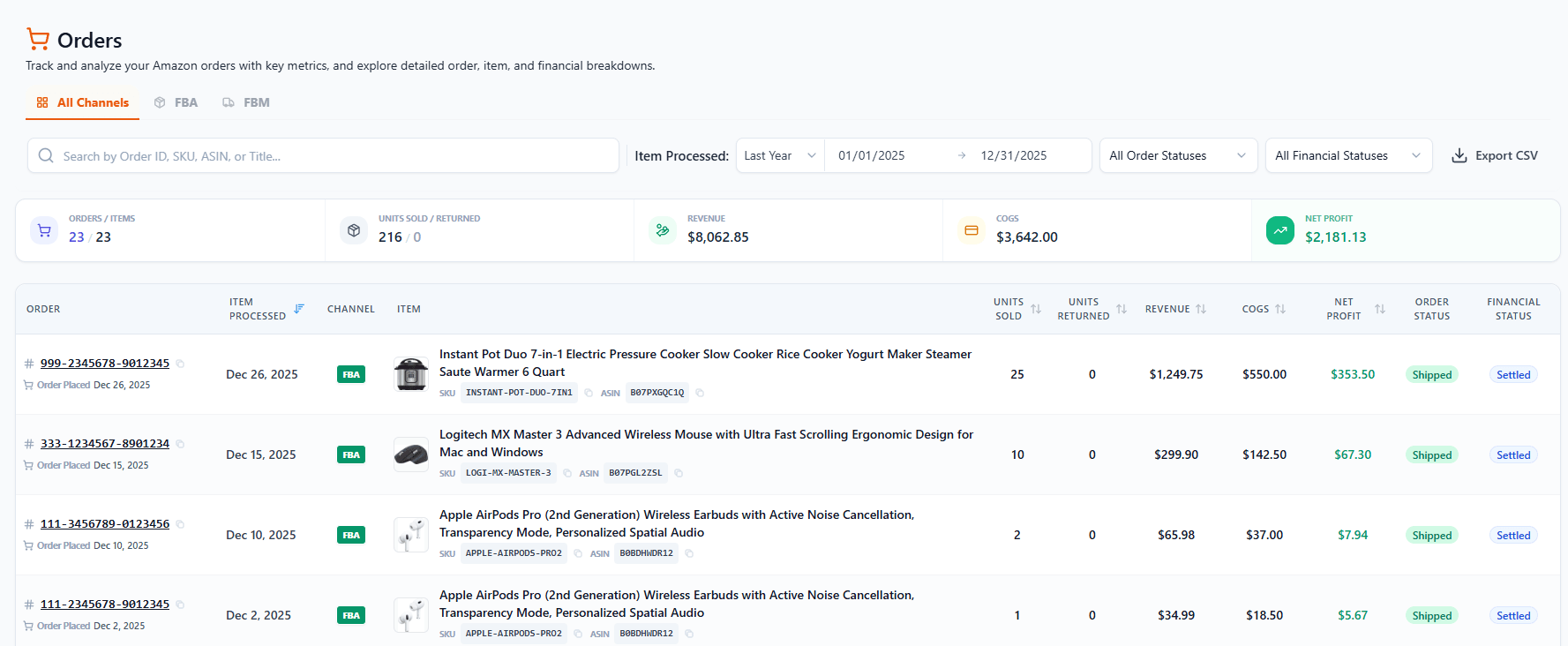
Profit on every line. Units sold, units returned, revenue, COGS, net profit, and margin — calculated per order, right in the list.
FBA & FBM in one place. Filter by channel, order status, or financial status, search by Order ID / SKU / ASIN / title, and export the whole view to CSV.
Settled vs. unsettled. A financial status flag shows whether Amazon has actually released the cash to you yet — so you know what's real money and what's still pending.
Totals at the top. Summary cards roll up orders, items, units sold/returned, revenue, COGS and net profit for whatever range you're viewing.
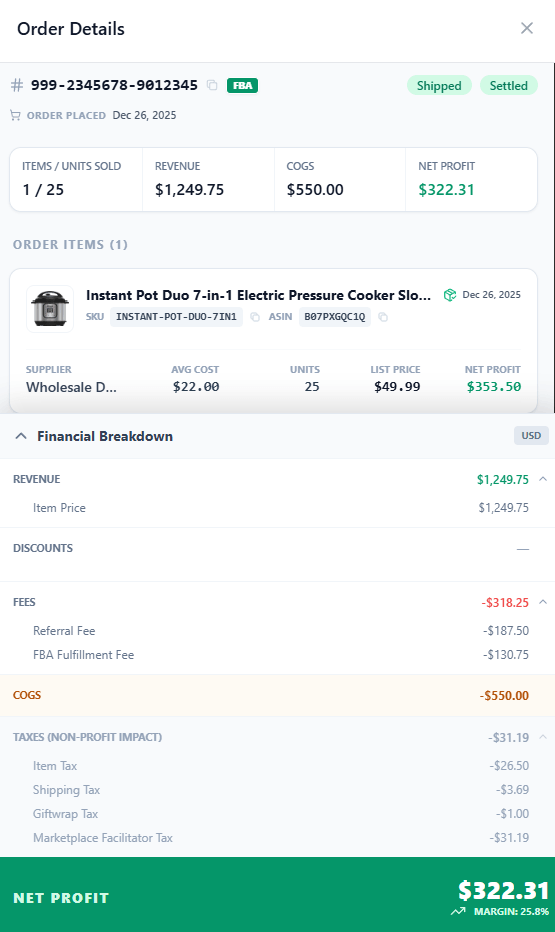
Click an Order ID and the details slide open. An order can contain several items — each one shows its supplier, average cost, units, list price, net profit, SKU, ASIN, title, image and shipped date. Below that, a line-by-line financial breakdown explains exactly how the net profit was reached.
Item-level detail. For multi-item orders, every product is listed with its own cost, units, list price and net profit.
Every Amazon fee, itemized. Referral, FBA fulfillment, variable & fixed closing, tax service and any other charge — nothing buried.
Net profit & margin, settled. The breakdown ends with the bottom-line profit and margin for that exact order.

Connect your Amazon account and SellerGuards turns your order history into a per-order profit ledger — automatically.